Render Paths
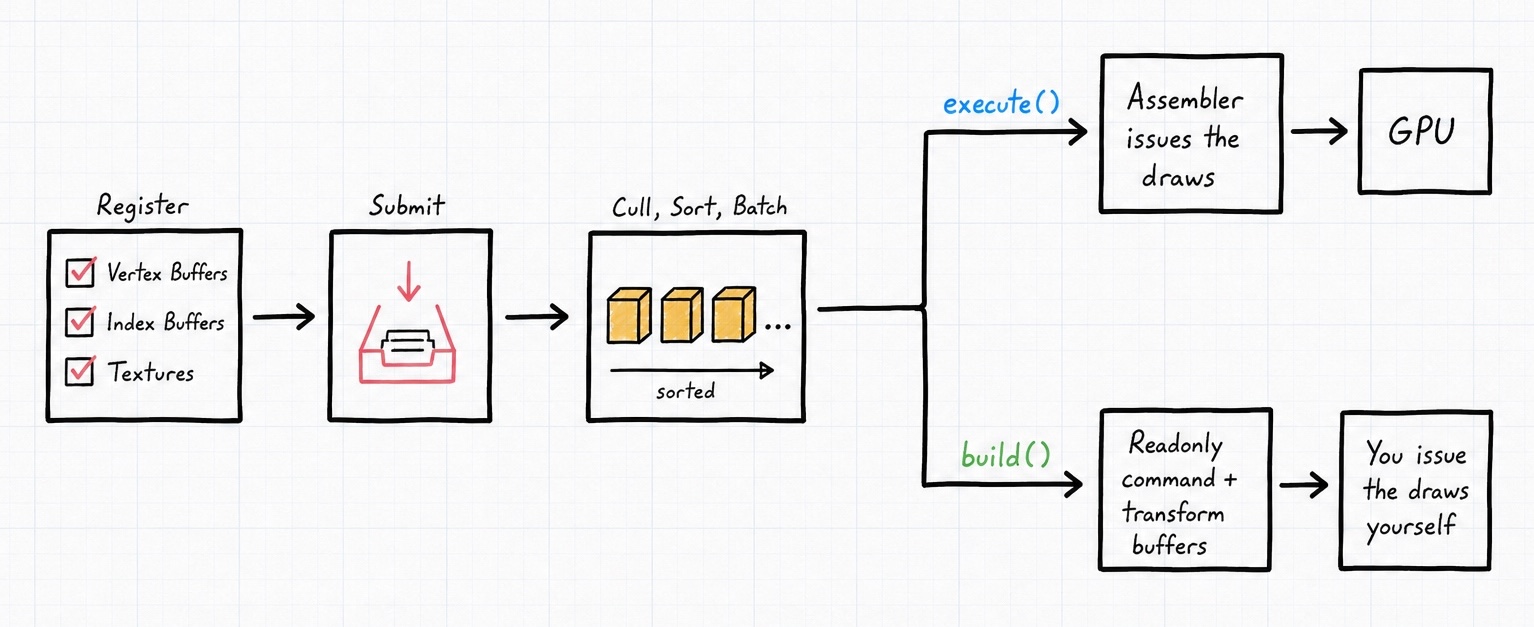
Once everything is submitted, you decide how the draws actually happen. The assembler offers two paths, and they exist for two different needs: one where you just want the objects on screen with the least fuss, and one where you need full control over the draws. This page covers both, plus how to read back the performance counters.
New to the assembler? Start with the getting-started page, which explains registering meshes and submitting instances, the things everything here builds on.
Letting the Assembler Draw: execute()
Most of the time, you just want the objects on screen. execute() does that: it culls, sorts, and batches, then binds each VAO and issues each draw for you. All you provide is a callback that runs before each draw, so you can set up shader state:
// during setup, required so the assembler knows where instance transforms go
$assembler->bindTransformBuffer($vao, 2);

// each frame
$assembler->execute(function (int $meshHandle, int $materialId, int $instanceOffset, int $instanceCount, int $flags) use ($meshRegistry, $materialPalette, $uniforms) {
    // the VAO is already bound for you, set per-draw state here
    $color = $materialPalette[$materialId % count($materialPalette)];
    glUniform3f($uniforms['material_color'], $color[0], $color[1], $color[2]);
});
The callback receives everything it needs to configure the draw: the mesh handle, the material id, the offset and count within the instance buffer, and the flags. The VAO binding and the actual glDraw... call are handled internally. execute() returns the number of draw commands it issued.
Warning
You must call bindTransformBuffer() (during setup) before using execute(). The assembler needs to know which vertex attribute locations hold the per-instance transform matrix before it can drive instanced draws. See Sorting & Batching and Per-Instance Payloads.
Driving the Draws Yourself: build()
Sometimes you need full control: a custom render backend, indirect drawing, or you simply want to inspect what the assembler decided. build() runs the same cull/sort/batch pass but issues no OpenGL calls. Instead it fills a set of readonly buffers and returns the command count:
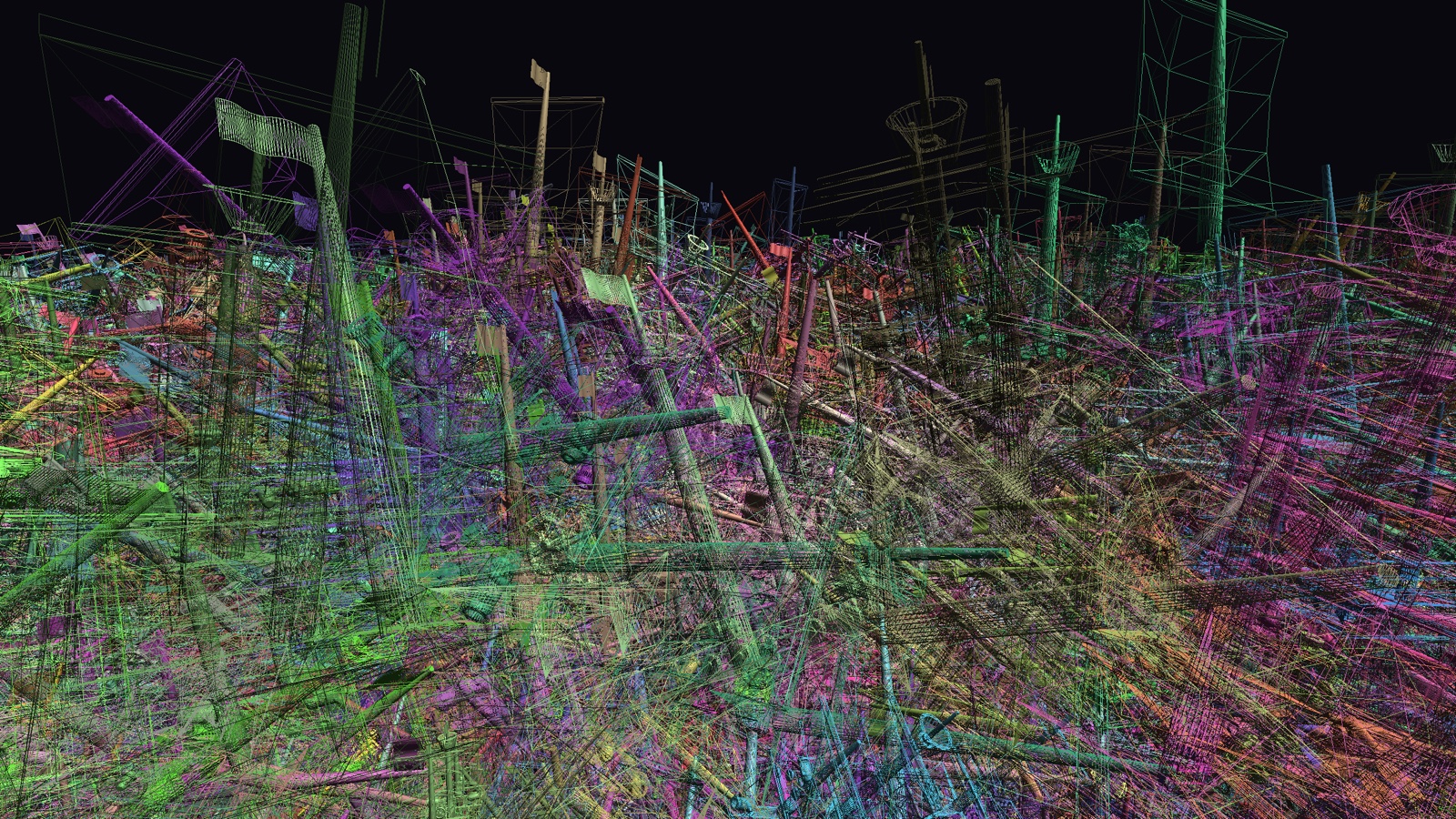
Whichever path you take, the render state around the draws stays yours to set. The wireframe pass above is nothing more than a glPolygonMode(GL_FRONT_AND_BACK, GL_LINE) wrapped around the same batched commands.
$commandCount = $assembler->build();

$commands = $assembler->commandBuffer;             // GL\Buffer\UIntBuffer
$transforms = $assembler->instanceTransformBuffer; // GL\Buffer\FloatBuffer
$meta = $assembler->instanceMetaBuffer;            // GL\Buffer\UIntBuffer
The commandBuffer is a flat UIntBuffer of packed draw commands. Each command is commandStride (8) uint32 values, laid out like this:
| Index | Field | Meaning |
|---|---|---|
| 0 | mesh handle | which registered mesh to draw |
| 1 | VAO id | the vertex array object for this draw |
| 2 | index offset | starting index (0 when drawing arrays) |
| 3 | draw count | index count, or vertex count when drawing arrays |
| 4 | base vertex | vertex offset added to each index |
| 5 | instance offset | where this batch starts in the transform buffer |
| 6 | instance count | number of instances in this batch (1 if not batched) |
| 7 | material id | material used for batching |
The companion instanceMetaBuffer carries instanceMetaStride (4) uint32 values per visible instance, laid out as [mesh handle, material id, user id, flags], in the same sorted order, so you can recover your own userId for each drawn instance. Both the transform and meta buffers contain only the instances that survived the last build, in final draw order.
You can read individual command fields straight out of the buffer with direct index access, which is O(1) per element and touches only the data you ask for. Reach for this when you want to inspect a build while debugging:
$commandCount = $assembler->build();
$commands = $assembler->commandBuffer;
$stride = $assembler->commandStride; // 8

for ($c = 0; $c < $commandCount; $c++) {
    $base = $c * $stride;
    printf(
        "mesh %d  vao %d  count %d  instances %d  material %d\n",
        $commands[$base + 0], // mesh handle
        $commands[$base + 1], // vao id
        $commands[$base + 3], // draw count
        $commands[$base + 6], // instance count
        $commands[$base + 7], // material id
    );
}
Which path should I use?
Reach for execute() unless you have a concrete reason not to. It's less code and just as fast. Use build() when you want to feed the commands into your own draw system, do GPU-driven indirect rendering, or simply debug what the assembler produced.
Measuring Performance
When you're pushing millions of instances, you'll want to know how many actually made it through. The assembler exposes a few counters for exactly that:
$submitted = $assembler->instanceCount();       // how many you submitted this frame
$visible   = $assembler->builtInstanceCount();  // how many survived culling in the last build
$commands  = $assembler->commandCount();        // how many draw calls the last build produced
From these you can compute the cull rate and print a tidy per-frame report, the way both demos do:
$culled = $submitted > 0 ? 100.0 * ($submitted - $visible) / $submitted : 0.0;
printf(
    "submitted %d, visible %d (%.1f%% culled), draw calls: %d\n",
    $submitted, $visible, $culled, $commands
);
A healthy scene shows a high cull percentage and a draw-call count far, far below the submitted instance count. That's culling and batching doing their job.