Buffer Objects
Sooner or later, every graphics program has to hand a big pile of numbers to the GPU: the vertices of a mesh, a color per pixel, a transform per instance. You could keep those numbers in a normal PHP array, but a PHP array is the wrong shape for the job. Each value is a boxed zval scattered across memory, the array is really a hash map, and OpenGL has no idea how to read any of it. Every call to glBufferData would mean copying and converting the whole thing first.
PHP-GLFW solves this with a family of typed buffer objects in the GL\Buffer namespace. A buffer stores its values as a tight, contiguous block of a single C type, exactly the layout the GPU expects, so it can be uploaded directly. The classes are implemented in C, so they are fast and memory friendly even with millions of elements, while still behaving like an array when you want them to.
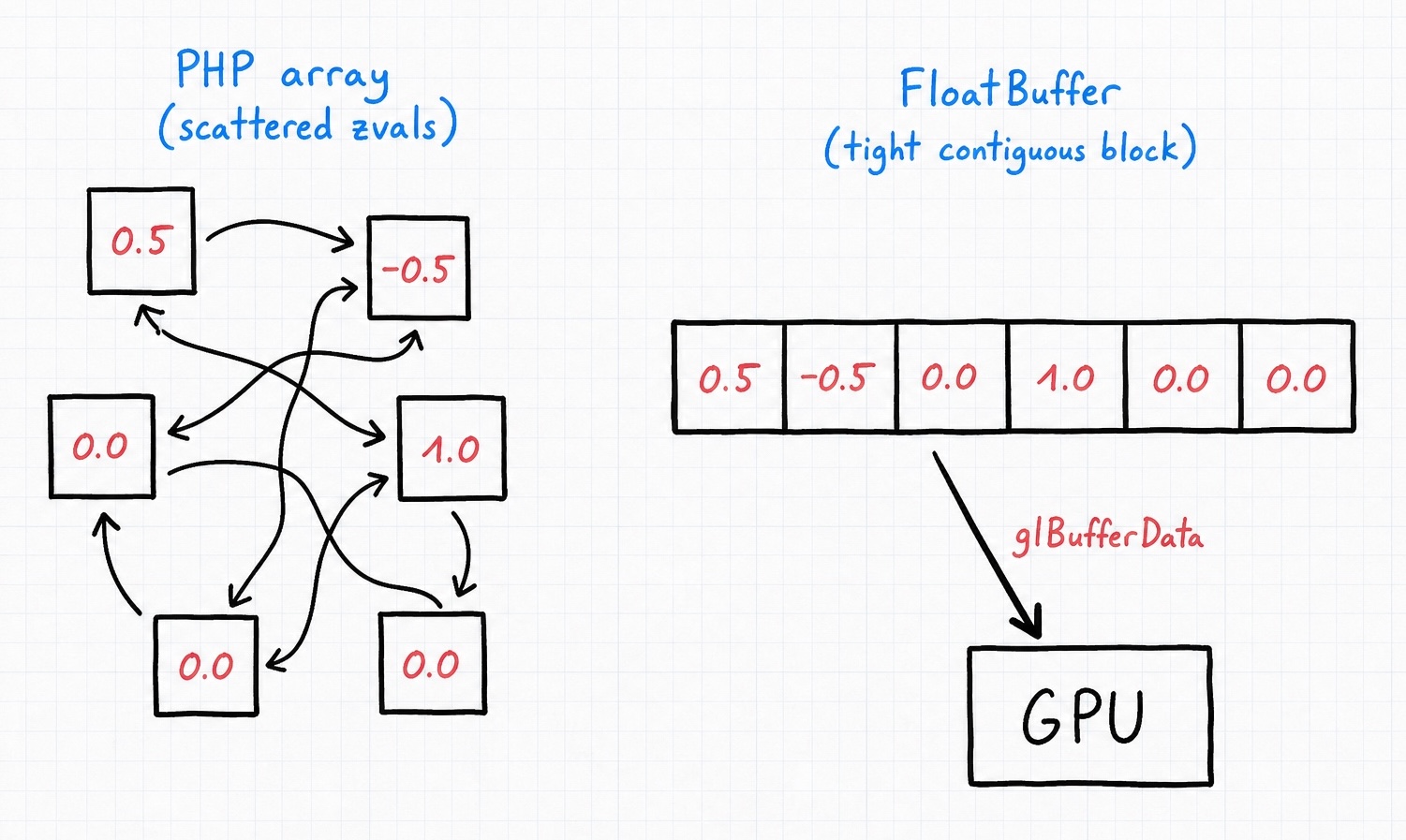
Not a GPU buffer
Don't confuse these objects with the actual GPU buffers you create with glGenBuffers. A GL\Buffer\FloatBuffer lives in CPU memory and holds your data; glBufferData is the step that copies it up to the GPU. Think of the buffer object as the well-packed box, and glBufferData as shipping it.
Your first buffer
The most common buffer by far is the FloatBuffer, used to describe vertices. You may hand its constructor a plain PHP array, and then upload it with glBufferData just like you would upload raw data:
// declare vertices for a single triangle and the color for each vertex
$buffer = new \GL\Buffer\FloatBuffer([
    // positions      // colors
     0.5, -0.5, 0.0,  1.0, 0.0, 0.0,  // bottom right
    -0.5, -0.5, 0.0,  0.0, 1.0, 0.0,  // bottom left
     0.0,  0.5, 0.0,  0.0, 0.0, 1.0   // top
]);

// upload the float buffer to the currently bound VBO
glBufferData(GL_ARRAY_BUFFER, $buffer, GL_STATIC_DRAW);
That is the whole idea: collect your data in a typed buffer, then pass the buffer straight to glBufferData. The constructor runs a quick sanity check on the array, so if you accidentally slip a string in among your floats you will hear about it right away rather than getting garbage on screen. You can see this in context in examples/01_triangle.php.
Choosing a buffer type
Because the GPU cares about the exact type of every value, there is one buffer class per data type rather than a single generic one. Pick the class whose type matches the data you are uploading:
| Class | Internal GL type | PHP value type |
|---|---|---|
FloatBuffer |
GLfloat |
float |
HFloatBuffer |
GLhalf (16 bit) |
int |
DoubleBuffer |
GLdouble |
float |
IntBuffer |
GLint |
int |
UIntBuffer |
GLuint |
int |
ShortBuffer |
GLshort |
int |
UShortBuffer |
GLushort |
int |
ByteBuffer |
GLbyte |
int |
UByteBuffer |
GLubyte |
int |
They all share the same interface (GL\Buffer\BufferInterface) and behave identically, so once you know one you know them all. If you are unsure which to reach for, these three cover almost everything:
FloatBufferfor vertex data: positions, normals, texture coordinates, and instance transforms.UIntBufferfor element (index) buffers, the lists of vertex indices you draw withglDrawElements.UByteBufferfor raw bytes: pixel data for textures, or compact color values in the0to255range.
Where to go next
Now that you can create a buffer and upload it, the rest of the guide shows you how to work with the data inside:
- Filling & Reading covers adding, reading, and modifying values, plus preallocating for performance.
- Vectors, Matrices & Conversions covers the
FloatBufferhelpers for pushing math types, working with strings and raw bytes, and quantizing floats down to bytes.